Guide
Google Home notifications on your Google TV or Android TV
Google TV can show a ring from a Nest doorbell and has a panel to control your devices, but it doesn’t show the other alerts the Google Home app sends to your phone. To see those on the TV, send the phone’s notifications to the screen, which takes a few minutes to set up.
Updated
Short answer
Google TV does two Google Home things by itself: a home panel to control lights, thermostats, locks, cameras and other devices, and a visitor notification when your doorbell rings. It doesn’t show the Google Home app’s other alerts, such as a camera seeing a person or a camera going offline, and TVs with the older Android TV home screen don’t get the home panel at all.
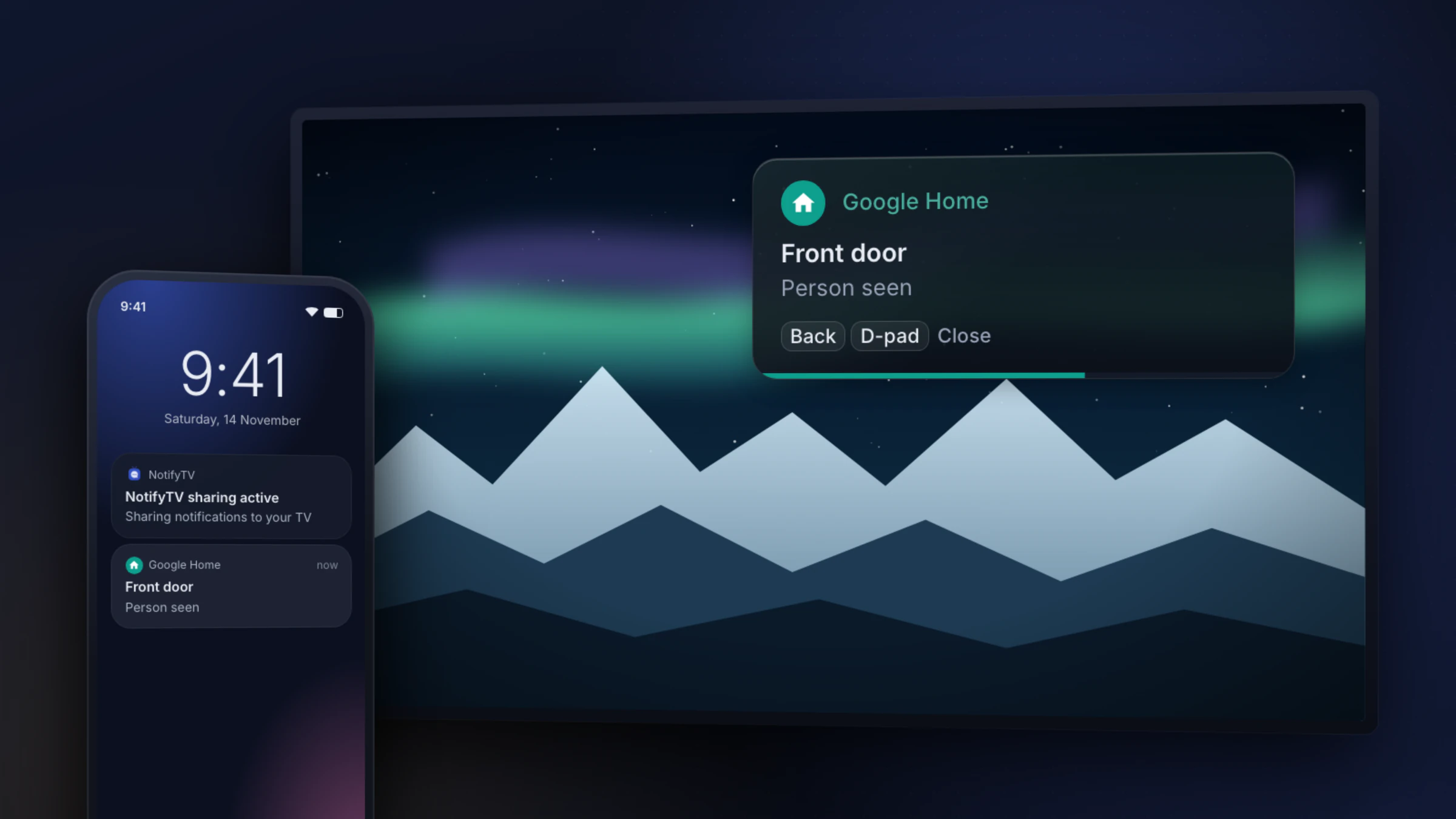
With an Android phone, NotifyTV shows the notifications the Google Home app puts on your phone as popups on any Android TV or Google TV. They’re text only: no camera picture.
We make NotifyTV and aren’t affiliated with Google. What Google TV and Google Home do was checked on 17 November 2026, with sources under each section.
Google Home alerts: what reaches the TV
| When this happens | Google TV by itself | Android TV (older home screen) | With NotifyTV |
|---|---|---|---|
| A Nest doorbell rings | Yes: a visitor notification with a preview, once the home panel is on | No | Yes, as text |
| Another brand’s doorbell in Google Home rings | Not confirmed: Google doesn’t list which doorbells work on the TV | No | Yes, as text, from whichever app notifies your phone |
| A Nest camera sees a person, motion, an animal or a vehicle | No alert (you can open the camera from the home panel) | No | Yes, as text |
| A camera goes offline | No alert | No | Yes, as text |
Checked on 17 November 2026. “No alert” means Google’s Google TV help describes no such alert: doorbell visitor notifications are the only ones it covers. The NotifyTV column needs the Google Home app (or the doorbell’s own app) to notify your Android phone first. Not sure which kind of TV you have? See Google TV vs Android TV.
Sources: Google TV Help: control smart home devices on your Google TV · 9to5Google, 25 September 2024 · Google Home Help: doorbell visitor announcements · Google Home Help: camera and doorbell alerts
What Google TV does by itself
The home panel
Google TV has a home panel for the devices in your Google Home app: lights, thermostats, locks, cameras, plugs, vacuums, TVs and speakers. Open it from the quick settings dashboard, or press and hold the Home button on the remote, then switch devices on or off and change some settings with the remote.
You have to turn it on. On the TV, open Settings, then Accounts & Profiles, your profile and Google Home, and switch the home panel on. Google lists a few conditions: you’re an owner or member of the home in the Google Home app, the TV and the app are signed in to the same Google account, the home has at least one smart device besides the TV, and the TV is in standard mode.
The panel launched on the Google TV Streamer in 2024, then reached Chromecast with Google TV and Google TV sets from TCL, Hisense and other brands.
Doorbell notifications
With a doorbell connected to your home, you can also turn on visitor notifications. When someone rings a Nest doorbell, the TV shows a small notification in the top-right corner for a few seconds, with a preview of who’s there, and you can jump to the live view. It doesn’t interrupt what’s playing unless you select it.
Doorbells from other brands are less clear. Google’s Google TV help only says you need a connected doorbell, and for its speakers and displays Google says visitor announcements “may not be available on all third-party doorbells that work with Google”. Ask your doorbell’s maker before you count on it.
Sources: Google TV Help: control smart home devices on your Google TV · 9to5Google, 25 September 2024 · 9to5Google, 19 October 2024 · Google Home Help: doorbell visitor announcements
What Google TV doesn’t show
- The Google Home app’s other alerts. On your phone, Google Home can tell you when a camera sees a person, motion, an animal or a vehicle, when a garage door is left open (garage door detection, US and Canada only) or when a camera goes offline. Google’s Google TV help describes no TV alert for any of these. When doorbell alerts launched, 9to5Google wrote that you could already watch Nest cameras on Google TV, but didn’t get alerts from them.
- TVs with the older Android TV home screen. The home panel and doorbell notifications are Google TV features. Many TVs and boxes still run Android TV; here’s how to tell which one you have.
- Kids profiles, apps-only mode and basic mode. Google says the home panel isn’t supported in kids profiles, and the TV has to be in standard mode, not apps-only or basic mode.
- Alerts from other smart-home apps. The home panel covers devices in the Google Home app. What Ring, SmartThings, Tapo and other apps send to your phone stays on the phone.
Sources: Google Home Help: camera and doorbell alerts · Google TV Help: control smart home devices on your Google TV · 9to5Google, 25 September 2024
How to get Google Home notifications on Google TV and Android TV
The Google Home app tells you about camera events, doorbell rings and offline devices with a notification on your phone. NotifyTV, a free pair of apps for an Android phone and an Android TV or Google TV, sends those notifications over your home Wi-Fi to the TV, which shows them as popups over whatever you’re watching. It works the same on Google TV and on the older Android TV, and there’s no account to link.
- What the popup shows: the app’s name and the alert’s words, as your phone shows them. It’s text: no snapshot or video.
- How long and where: you choose on the TV, from 3 to 30 seconds and in any of six positions. Up to four popups stack, and a phone call always goes on top.
- Android TV too: any TV or streaming device with Google TV, or Android TV 8.0 or newer, and Google Play.
- 1
Check your TV and phone
The TV needs Google TV, or Android TV 8.0 or newer, with the Google Play Store. The phone needs Android 8.0 or newer; iPhones aren’t supported. Check your TV.
- 2
Install NotifyTV on the TV and the phone
Both apps are free on Google Play and supported by ads.
- 3
Pair them
Let the phone find the TV on your Wi-Fi, scan the QR code on the TV, or type the TV’s IP address.
- 4
Switch on Google Home
In the phone app, open Select Apps, search for Google Home and switch it on. Do the same for any other smart-home app you use.
- 5
Try it
Walk past a camera or ring the doorbell. When the alert reaches your phone, it shows on the TV. Nothing on the phone? See the tips below.
The setup guide covers every step, with fixes for common problems such as popups not appearing.
Samsung SmartThings and other smart-home apps
The same route works for any smart-home app that notifies your Android phone: Samsung SmartThings, Tuya Smart or Smart Life, TP-Link Tapo, Ring, the Amazon Alexa app, the Home Assistant companion app and others. Switch each one on in Select Apps.
Samsung TVs can show SmartThings alerts by themselves, but they can’t install NotifyTV. On an Android TV or Google TV, NotifyTV shows the SmartThings app’s phone notifications instead. For an Alexa home, see Alexa on Google TV.
Source: Samsung: SmartThings notifications on your TV
Tips
- Pick your alerts in the Google Home app. Whatever notifies your phone also reaches the TV, so a busy camera means a busy screen. In the Google Home app, tap Home, then All devices, touch and hold the camera’s tile, and tap More, Settings, Events and Seen events. Keep only the events you care about. Google keeps a few alerts always on, such as a camera going offline.
- Switch it on from one phone. If several people at home have Google Home and NotifyTV, each phone sends its own copy, so the TV may show the same alert more than once. Switch Google Home on in NotifyTV on one phone only.
- Mind calls only and pause. On the TV, calls-only mode holds back everything except calls, and so does a pause (1 hour or until 7 AM). Google Home alerts don’t pop up while either is on.
- Nothing on the phone, nothing on the TV. If an alert doesn’t show on your phone, it can’t reach the TV. Check that Android allows notifications from Google Home, and that the events are on in the app: tap your profile picture, then Home settings and Notifications.
Sources: Google Home Help: camera and doorbell alerts · Google Home Help: camera notification settings
What it can’t do
- No camera picture or live view. NotifyTV shows the words of the alert. To see the camera, open the Google Home app on your phone, or the home panel if your TV has it.
- No talking to the visitor and no device control. NotifyTV only shows notifications.
- The phone has to be at home, on the same Wi-Fi as the TV, with NotifyTV running.
- It’s as quick as your phone. The popup appears when the alert reaches your phone, so if Google Home’s notification is late on the phone, it’s late on the TV too.
- It’s a convenience, not a safety system. Don’t rely on TV popups for smoke, carbon monoxide or security alarms.
NotifyTV isn’t made by or affiliated with Google. It shows the notifications the Google Home app already puts on your phone.
Before you install, check that your TV is supported.
Google Home alerts on your Android TV
Free on Google Play for Android phones and Android TV / Google TV, supported by ads. Install both apps, pair them and switch on Google Home.
Frequently asked questions
Why don’t Google Home notifications show on my Google TV?
Google TV shows one kind of Google Home alert by itself: a visitor notification when a doorbell in your home rings, once the home panel is turned on (checked on 17 November 2026). Other Google Home alerts, such as a camera seeing a person, an animal or a vehicle, or a camera going offline, go to your phone, not the TV. NotifyTV can show those phone notifications as popups on an Android TV or Google TV. If even the doorbell alert is missing, check that the TV and the Google Home app use the same Google account, that the home panel is on, and that you aren’t in a kids profile or apps-only mode.
How do I get Nest doorbell notifications on Google TV?
Turn on the home panel: on the TV, open Settings, then Accounts & Profiles, your profile and Google Home, and switch the home panel on. You need to be an owner or member of the home in the Google Home app, signed in with the same Google account as the TV, in standard mode (not apps-only or basic mode) and not in a kids profile. With a doorbell connected to that home, you can then turn on visitor notifications. On a TV without the home panel, NotifyTV can show the doorbell alert that the Google Home app puts on your phone, as text.
Does it work on Android TV, not just Google TV?
Google’s home panel and doorbell notifications are Google TV features, so TVs and boxes with the older Android TV home screen don’t have them. NotifyTV works on both: it needs Google TV, or Android TV 8.0 or newer, with Google Play, and an Android phone with Android 8.0 or newer.
Can I see the camera on the TV?
Not with NotifyTV: it shows the alert as text, with no picture or live view. On Google TV, the home panel lets you open compatible cameras with the remote, and Google says some doorbells can show who’s there on a Google streaming device or Android TV. Otherwise, open the Google Home app on your phone.
Will the alerts show for everyone in the room?
Yes. Popups appear on the TV screen, so anyone watching can read them. In the phone app, Sender only mode shows just the notification’s title, without its text. On the TV you can switch to calls only, which holds back everything except calls, or pause notifications for 1 hour or until 7 AM. You can also switch Google Home off in the phone app’s Select Apps list at any time.
Is it free?
Google TV’s home panel and doorbell notifications are built in. Google says the camera alerts on offer can depend on whether you subscribe to Google Home Premium. NotifyTV is free on Google Play and supported by ads, with no account to create.